
 Italiano








There are no more items in your cart

Free shipping for orders over 800€!
Write here your email address and stay up to date when the product comes back available.
BRAND HOBBY KING
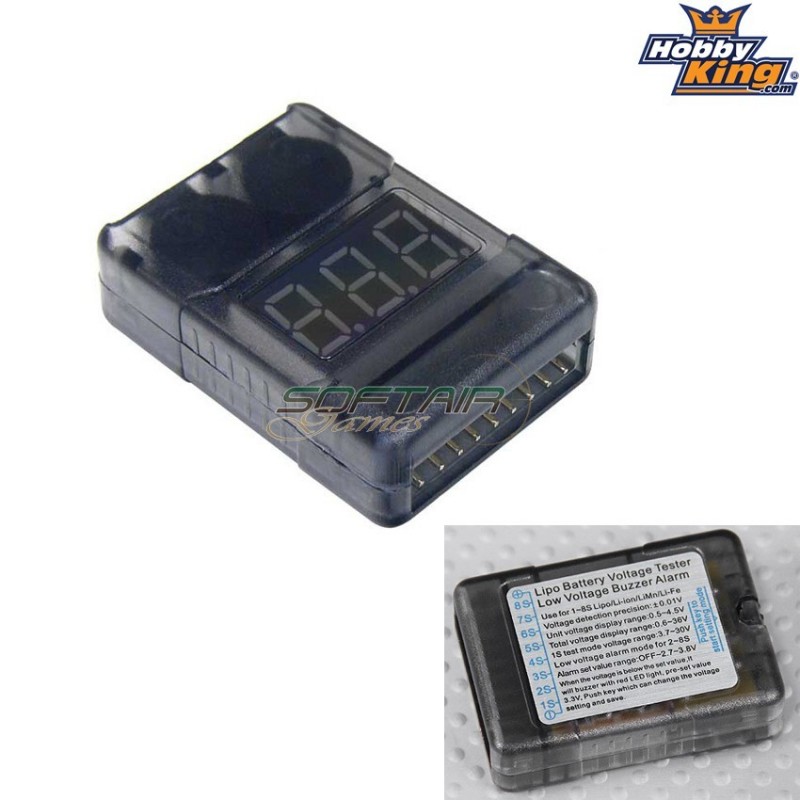
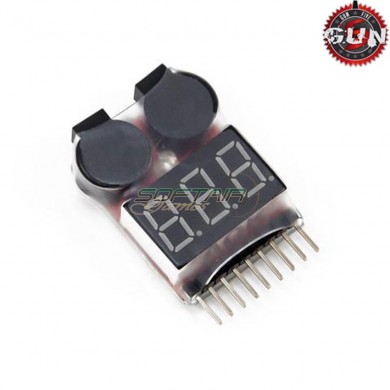
The Hobbyking 2-8S Cell Checker with Low Voltage Alarm features loud twin Piezo
alarms to notify you once your cells reach a user defined voltage. You can customize the
alarm to sound at a voltage between 2.7v~3.8v Per cell in 0.10v increments by pressing
the setting mode button. This unit also features a handy built in LED display that will
show the voltage of each cell followed by the over all voltage of the pack.
Specifications.
Input: 2~8S.
Battery type: Lipo/LiFe/Li-ion.
Cell Voltage Display Range: 0.5v~4.5v.
Total Voltage Display Range: 3.7~36v.
Alarm set values: Off or 2.7~3.8v.
Size: 41x30x13mm.
Weight: 13gr.






Start typing to see products you are looking for.


We and selected third parties use cookies or similar technologies for technical purposes and, with your consent, for functionality, experience, measurement and “marketing (personalized ads)” as specified in the cookie policy.
You can freely give, deny, or withdraw your consent at any time by accessing the preferences panel. Denying consent may make related features unavailable.
Use the “Accept” button to consent. Use the “Reject” button or close this notice to continue without accepting.